

 Abu Dhabi
 Albania
 Algeria
 Antigua and Barbuda
 Argentina
 Aruba
Aruba Australia
 Austria
 Bahamas
 Bahrain
 Bali
Bali Barbados
 Belgium
 Belize
 Bermuda
 Bolivia
 Bonaire
 Bosnia and Herzegovina
 Brazil
 Brunei
 Bulgaria
 Cambodia
 Canada
 Cayman Islands
 Chile
Chile China
China Colombia
 Congo
Congo Costa Rica
 Croatia
 Cuba
Cuba Curacao
 Cyprus
 Czech Republic
 Denmark
 Dominican Republic
 Dubai
Dubai Ecuador
 Egypt
Egypt El Salvador
 Estonia
 Ethiopia
 Europe
 Fiji
Fiji Finland
 France
 Georgia
 Germany
 Ghana
Ghana Greece
 Grenada
 Guadeloupe
 Guatemala
 Guyana
 Haiti
Haiti Hawaii
 Honduras
 Hong Kong
 Hungary
 Iceland
 India
India Indonesia
 Ireland
 Israel
 Italy
Italy Ivory Coast
 Jamaica
 Japan
Japan Jordan
 Kazakhstan
 Kenya
Kenya Kosovo
 Kuwait
 Laos
Laos Latvia
 Liechtenstein
 Lithuania
 Luxembourg
 Macedonia
 Madagascar
 Malaysia
 Malta
Malta Martinique
 Mauritius
 Mexico
 Monaco
 Montenegro
 Montserrat
 Morocco
 Mozambique
 Myanmar
 Namibia
 Nepal
Nepal Netherlands
 New Zealand
 Nicaragua
 Nigeria
 Norway
 Oman
Oman Pakistan
 Panama
 Papua New Guinea
 Paraguay
 Peru
Peru Philippines
 Poland
 Portugal
 Puerto Rico
 Qatar
Qatar Romania
 Rwanda
 Saint Barthélemy
 Saint Kitts and Nevis
 Saint Lucia
 Saint Martin
 Saint Vincent and the Grenadines
 San Marino
 Saudi Arabia
 Scotland
 Serbia
 Seychelles
 Singapore
 Slovakia
 Slovenia
 South Africa
 South Korea
 Spain
Spain Sri Lanka
 Suriname
 Sweden
 Switzerland
 Taiwan
 Tanzania
 Thailand
 Trinidad and Tobago
 Tunisia
 Turkey
 Uganda
 United Arab Emirates (UAE)
 United Kingdom
 Uruguay
 USA
USA Uzbekistan
 Vietnam
 Virgin Islands
 Zambia
 Zanzibar
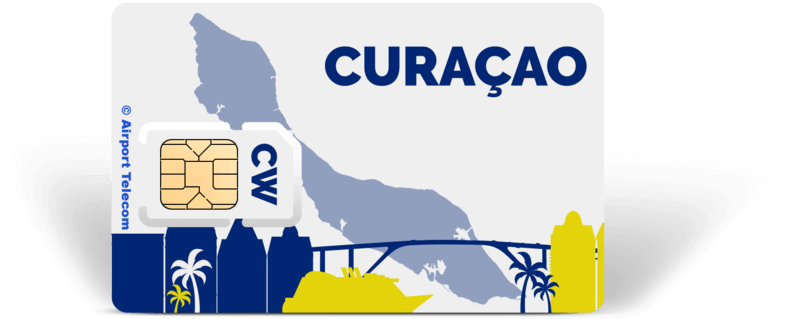
SIM card Curacao
€ 59,00


Stay connected while traveling with the SIM card Curacao from Airport Telecom. The 20GB data bundles are perfect for mobile internet with quick access to email, WhatsApp, navigation, and all other apps.
Choose type:
Choose bundle:

Pay safe

Mobile internet on Curaçao with SIM card Curaçao
With a prepaid SIM card Curaçao from Airport Telecom, you can be reached on Curaçao on one phone number and you will have 60 calling minutes and 20GB of data.
On arrival, insert the SIM card into your cell phone and the Internet will start working. The 20GB internet bundle on the sim card is valid for 14 days.
Whatsapp on Curaçao
As indicated, the prepaid SIM card for Curaçao has a local Curaçao’s phone number. Nevertheless, you can continue to use WhatsApp, for example, as you are used to. Once WhatsApp realizes that there is a different SIM card with a new number in your phone, Whatsapp will automatically ask whether you want to use the new number or the old number. If you then choose the old number, nothing will change on Whatsapp at all. You will then simply keep your existing WhatsApp identity with all contacts, groups and chats.
Coverage Curaçao
Coverage with the SIM card Curaçao is very good. Besides its wonderful climate, Curaçao is also known for its striking architecture. The Handelskade in Willemstad is a stunning example of this with its colorful Dutch-style houses. Pictures from the Konining Emmabrug can be posted directly on Instagram! Perhaps there are some remote parts of the island where the cell phone does not work as well as in Christoffel Park and Sheta Boka. Otherwise, coverage is good, such as on Curaçao’s whopping 37 beaches. Grote Knip, Kleine Knip and Bon Bini Beach are just a few examples of beautiful beaches where you can dive and enjoy the sun and the many beach bars.
Sim card Curaçao, free home delivery
The sim card Curaçao will be delivered to your home free of charge in Europe and the United Kingdom. When ordered on work days before 14.00h we ship the same day by mail. Depending on your location, delivery usually takes place within two to four work days. Need it faster? Then choose the eSIM, which will be sent to you by email.
Advantages sim card Curaçao
The SIM card is available in all sizes (mini, micro and nano) and fits into any phone.
The sim card Curaçao is tethering compatible and can thus be used for hotspot and MIFI
Data & calling Curaçao
There is one variant of the sim card Curaçao:
20GB data sim card
incl. 20GB
incl. 60-minute calls to local numbers, EU and America
Incl. local Curaçao’s phone number
The data bundles are valid for 14 days after activation.
How do I install the Curaçao SIM card in my phone?
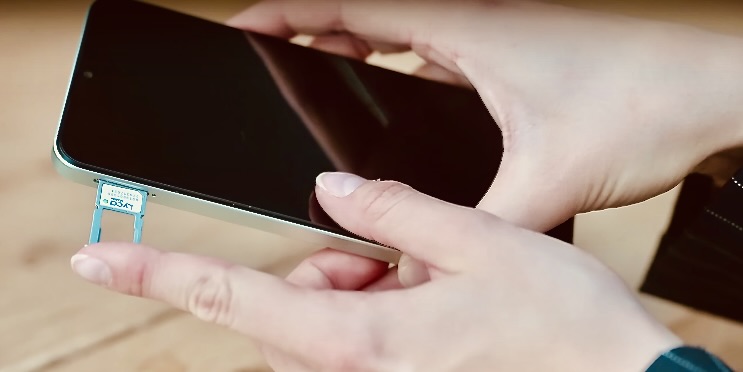
Open the slider on the side of the phone. You can do this with the pin that came with the phone. If you don’t have this you can make one by bending a paper clip. Airport Telecom sim cards also come with an extra pin.
Remove your own sim card and keep it safe! Now insert the new SIM card. There is only one way to do this. You may have a phone that can hold more than one SIM card. Insert the new SIM card as an extra card.
Push the SIM card slide back into the phone now. If all goes well, you can now automatically use the new sim. The phone may ask you to do some additional settings.
4.6 / 5
(16 reviews)
-
-
Gewoon goed en snel
-
-
-
-
Problematic to activate the SIM card
Activating the SIM card causes more problems than described. You're supposed to just call 146, but that doesn't work. You then get an automated system where you can set the language, retrieve your number and top up, but how to activate the SIM card is unclear. In the end, I managed via 145, which is Digicel's customer service. There you get an employee on the phone who can finally activate you. It really should be easier. I would recommend a better description of how to activate the SIM card, because the current one is really inadequate.
-
Received the SIM cards quickly, put them in the phone in Curaçao, followed the instructions and after restarting the device it worked perfectly.
-
-
Die SIM Karte wurde schnell und…
Die SIM Karte wurde schnell und ordnungsgemäß geliefert.
Anbei lag eine ausführliche und deutschsprachige Anleitung
für die Aktivierung der Karte. Bisher alles super. Wir reisen im Februar
nach Curacao, daher kann ich noch nicht mehr bewerten. -
-
-
Arrived just in time before departure. Made no calls, yet the balance showed 16 cents. Handy for internet though. At Westpunt there wasn't always coverage.
-
-
-
-
A good start to my holiday!
Picked up my phone card at Schiphol.
The employee inserted it into my phone and set everything up properly.
Received an explanation of what to do upon arrival in Curaçao. The card worked immediately and I have coverage everywhere.
Frequently asked questions
-
Which SIM card to use in Curaçao?
For a short stay of a few days, you probably won't need that much data. The 10GB data bundle for Curacao may then be sufficient. Applications such as Whatsapp, Instagram and navigation do not consume much data. If you are staying longer, it may be useful to choose Unlimited so you will definitely have enough data. The Unlimited SIM card also offers unlimited calling within Curaçao.
-
Where to buy a SIM card for Curaçao?
Buy a SIM card for Curacao at Airport Telecom Schiphol. You can pick it up in the store. Or order online and the SIM card will be delivered to your home address free of charge.
Simple sim card installation
Step 1
Install your SIM card
Open the slider on the side of the phone. You can do this with the pin that came with the phone. If you don’t have this you can make one by bending a paper clip. Airport Telecom sim cards also come with an extra pin.
Step 2
Set up your SIM card
Remove your own sim card and keep it safe! Now insert the new SIM card. There is only one way to do this. You may have a phone that can hold more than one SIM card. Insert the new SIM card as an extra card.
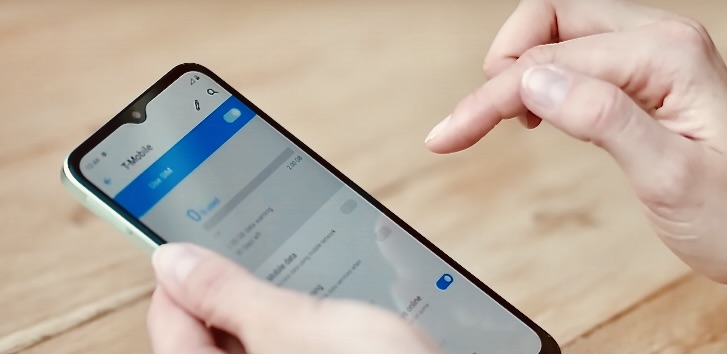
Step 3
Start using data
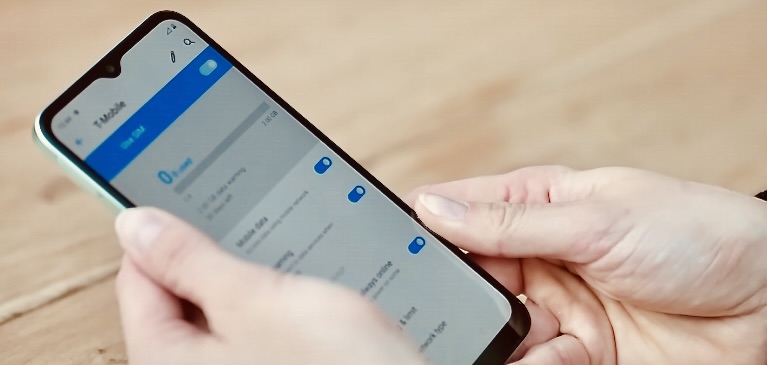
Push the SIM card slide back into the phone now. If all goes well, you can now automatically use the new sim. The phone may ask you to do some additional settings.
Our advantages

Always connected during your journey
Enjoy worry-free connectivity wherever you are, with access to reliable networks worldwide. Whether you're planning a short vacation or a long business trip, you'll stay connected everywhere.

No surprises or hidden costs
Pay only for what you use, without unexpected fees or complicated contracts. With transparent pricing and clear options, you're always prepared and know exactly where you stand.

Easily and quickly activated
Your SIM card is ready to use within minutes, so you are instantly connected when you arrive abroad. Activating the card is simple and requires no technical knowledge or complex steps.
Other suggestions